
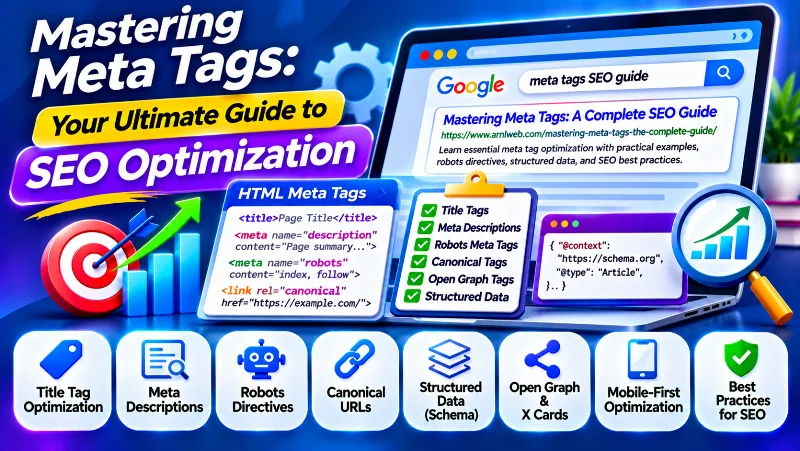
Meta tags are an important part of website optimization. They provide search engines and other applications with information about webpages, help control indexing and search result previews, and support how content is presented when shared across digital platforms.
Meta tag optimization involves using appropriate HTML metadata to describe your content, manage search visibility, and improve the way your webpages are represented. Important elements include meta descriptions, robots directives, viewport settings, and social sharing metadata. The HTML title element and canonical link are also closely related parts of webpage optimization.
However, adding more tags does not automatically improve rankings. Every metadata element has a specific purpose, and some tags that were popular in older SEO practices are no longer useful for Google Search.
At ARNL Web Solutions, we consider metadata an important part of a complete on-page and technical SEO strategy. This guide explains the essential metadata elements, practical HTML examples, structured data integration, mobile optimization, current AI Search controls, and common mistakes to avoid.
Before optimizing your metadata, identify the main topic and search intent of each webpage. You can start with our Keyword Research Tool to explore relevant keyword ideas.
Why Meta Tags Matter for SEO
Meta tags are HTML elements usually placed inside the <head> section of a webpage. They provide additional information that browsers, search engines, and other applications may use when processing a page.
Some metadata helps describe the page, while other directives control indexing, search result previews, or browser behavior. Social metadata can also provide information for link previews when a page is shared.
For example, a webpage may contain a title element, description, robots directive, character encoding declaration, and viewport setting. These elements serve different purposes and should be implemented according to the needs of the page.
Key Trends Influencing Modern Metadata Optimization
Search technology continues to evolve, but the basic principles of good metadata remain consistent: accuracy, relevance, clarity, and correct technical implementation.
Consider these developments when optimizing webpages:
- Automated Metadata Generation: CMS platforms and AI tools can generate title tags and descriptions, but the output should be reviewed for relevance, accuracy, and duplication.
- AI-Powered Search: AI Overviews and AI Mode use Google’s broader Search systems. Traditional SEO fundamentals continue to matter, and there are no special meta tags that guarantee inclusion in AI-generated results.
- Structured Data: Schema markup can provide additional information about articles, products, organizations, and other supported entities.
- Mobile-First Indexing: Google primarily uses the mobile version of website content for indexing and ranking.
- Search Result Preview Controls: Robots directives can control aspects of how content and snippets appear in Google Search.
- Social Sharing Metadata: Open Graph and X Card metadata help supported platforms create more informative link previews.
Google’s Multitask Unified Model (MUM) was introduced before 2025. It should not be described as a new metadata update or as a reason to implement special AI meta tags. Modern search systems use many signals to understand webpages, and accurate, accessible content remains important.
Google’s official guidance confirms that the same foundational SEO practices apply to AI Search features. There are no additional meta tags or special schema requirements that guarantee visibility in AI Overviews or AI Mode.
Read Google’s AI features and your website documentation for current guidance.
Core Metadata Elements for Modern SEO
Before implementing advanced metadata, understand which HTML elements are relevant to your website. Some are technically meta tags, while others are related elements placed in the document’s head section.
1. Title Tags: Define Your Webpage Clearly
The HTML <title> element defines the document title. It is not technically a meta tag, but it is one of the most important elements to optimize when preparing a webpage for search engines.
Google may use the title element when generating the clickable title link in search results. It can also consider the main visible heading, prominent page text, Open Graph title, and other sources.
Example:
<title>Mastering Meta Tags: A Complete SEO Guide</title>Best practices for title optimization:
- Describe the Page: Explain the actual subject rather than using a vague or generic title.
- Use the Main Keyword Naturally: Include the primary topic when it accurately represents the page.
- Make Titles Unique: Write distinct titles for important webpages.
- Keep Titles Concise: Remove unnecessary words, repetitive phrases, and excessive branding.
- Match the Visible Heading: Keep the HTML title consistent with the main page heading.
- Avoid Keyword Stuffing: Do not repeat the same search phrase multiple times.
- Use Branding Appropriately: Add your website or brand name when it provides useful context.
There is no fixed character limit for the HTML title element. Google truncates title links when necessary to fit the available display space, which can vary by device and search context. A target of approximately 50–60 characters can be a useful editorial guideline, but it is not a Google requirement.
Google may generate a different title link if the supplied title is outdated, repetitive, inaccurate, or inconsistent with the visible page content.
Official guide: Influencing title links in Google Search.
2. Meta Descriptions: Create Useful Search Snippets
A meta description is an HTML tag that provides a short summary of a webpage. Google may use it when generating the description or snippet displayed beneath a search result title.
A well-written description helps visitors understand what information is available on the page. It should communicate the topic and provide a useful reason to visit without exaggerating the content.
Example:
<meta name="description" content="Master meta tags for SEO with practical examples of title tags, descriptions, robots directives, and structured data.">Best practices for meta descriptions:
- Write a unique description for each important webpage.
- Summarize the actual information visitors will find.
- Include the primary topic naturally when appropriate.
- Explain the benefit of reading the page.
- Use clear and natural language.
- Avoid generic keyword lists and repetitive phrases.
- Do not include unsupported statistics, guarantees, or promotional claims.
Google does not impose a fixed character limit on meta descriptions. A description of around 150–160 characters can be a useful writing target, but Google may truncate the displayed snippet or select different text from the visible page.
For example, the same article may receive different snippets for different search queries because Google attempts to show the information most relevant to each search.
Meta descriptions are not a direct Google ranking factor. Their primary value is providing a clear and relevant search result summary when Google chooses to use them.
Official guide: Control your snippets in search results.
3. Robots Meta Tags and Search Result Controls
Robots meta tags provide instructions to search engine crawlers about how a webpage should be indexed or presented in search results. They are particularly important when you need to control indexing or limit the information shown in search previews.
Some commonly used directives include:
| Directive | Purpose |
|---|---|
index | Allows the page to be considered for indexing. |
noindex | Asks search engines not to include the page in search results. |
follow | Allows crawlers to follow links on the page. |
nofollow | Indicates that links on the page should not be followed for crawling purposes. |
nosnippet | Prevents a text snippet from being shown in supported search results. |
max-snippet | Specifies a maximum text snippet length. |
max-image-preview | Controls the maximum size of image previews in supported search results. |
max-video-preview | Specifies the maximum duration of video previews. |
Example: Standard indexing directive
<meta name="robots" content="index, follow">Example: Prevent a page from being indexed
<meta name="robots" content="noindex, follow">Example: Allow a larger image preview
<meta name="robots" content="max-image-preview:large">Use these directives only when they match your intended indexing and preview behavior. An accidental noindex directive can prevent an important page from appearing in search results.
Also remember that a crawler must be able to access the page to read its robots meta tag. Blocking a page in robots.txt can prevent the crawler from seeing the noindex instruction.
Official documentation: Robots meta tags and X-Robots-Tag specifications.
4. Essential HTML Metadata Beyond SEO Titles
Some HTML metadata is important for browser behavior, character encoding, page presentation, and website verification. These elements may not directly improve search rankings, but they help maintain a properly configured website.
Character Encoding
Use the charset declaration to specify the character encoding used by the HTML document. UTF-8 is the standard choice for most modern websites.
<meta charset="UTF-8">Viewport Metadata
The viewport tag helps browsers display a page according to the device’s screen width. It is commonly used with responsive web design.
<meta name="viewport" content="width=device-width, initial-scale=1.0">Website Verification
Some services support meta tags for website ownership verification. For example, Google Search Console provides a verification method that can use a specific HTML meta tag.
<meta name="google-site-verification" content="YOUR_VERIFICATION_CODE">Replace the example value with the actual verification code supplied by Google. This tag is for ownership verification, not search ranking optimization.
Important: The older http-equiv="Content-Language" example should not be treated as a required SEO tag. Use the appropriate HTML language attribute on the document, such as <html lang="en">, to identify the main content language.
Advanced Metadata and Social Sharing Tags
Beyond basic search metadata, websites can provide information that helps other platforms understand how a page should appear when shared. These elements are useful for social media previews, messaging applications, and other link-sharing environments.
Open Graph Metadata
Open Graph metadata was developed to help describe webpages when they are shared across supported social platforms. It can define the title, description, image, URL, and content type used in a sharing preview.
Example:
<meta property="og:title" content="Mastering Meta Tags: A Complete SEO Guide">
<meta property="og:description" content="Learn essential meta tag optimization practices with practical HTML examples.">
<meta property="og:type" content="article">
<meta property="og:url" content="https://www.example.com/meta-tags-guide/">
<meta property="og:image" content="https://www.example.com/images/meta-tags-guide.jpg">
Use the actual canonical page URL and an accessible, relevant image. The title and description should accurately represent the shared content.
Open Graph metadata mainly helps with social sharing presentation. It should not be confused with Google’s title tag or a direct organic ranking signal.
X Card Metadata
X supports metadata that can help create richer link previews when webpages are shared on the platform. The commonly used card metadata includes a card type, title, description, and image.
<meta name="twitter:card" content="summary_large_image">
<meta name="twitter:title" content="Mastering Meta Tags: A Complete SEO Guide">
<meta name="twitter:description" content="Explore practical meta tag optimization techniques for modern websites.">
<meta name="twitter:image" content="https://www.example.com/images/meta-tags-guide.jpg">
These tags support social sharing previews. They do not replace your title element or Google meta description.
Canonical Links: Help Identify Preferred URLs
A canonical link element indicates the preferred URL when identical or very similar content is accessible through multiple addresses. It is especially useful when dealing with tracking parameters, duplicate paths, and different URL variations.
<link rel="canonical" href="https://www.example.com/meta-tags-guide/">The canonical element is not technically a meta tag, but it is an important part of the metadata and indexing setup.
Use consistent internal links, sitemap URLs, redirects, and canonical declarations to reinforce the preferred URL. Google treats canonicalization as a signal and may select a different canonical URL when other signals conflict.
Official guide: Consolidate duplicate URLs.
Advanced Meta Tag Strategies
Leveraging AI for Metadata Optimization
AI writing tools can assist with generating title ideas, writing meta descriptions, summarizing webpage content, and identifying possible keyword themes. They can be useful when managing a website with many products, articles, or service pages.
Examples of tools used in content research and planning include Frase and MarketMuse. These tools can support content planning and optimization workflows, but their suggestions should be reviewed before implementation.
Use AI-generated metadata responsibly:
- Generate titles that accurately describe each individual page.
- Create unique descriptions rather than reusing generic templates everywhere.
- Check that generated facts, product information, dates, and prices are correct.
- Avoid keyword stuffing and unnecessary repetition.
- Review descriptions for readability and relevance.
- Use actual page information rather than inventing content that does not exist.
- Check important pages manually before publishing changes in bulk.
Google does not automatically penalize metadata because AI helped create it. The priority is accurate, useful, and non-manipulative content. Automated generation that produces large amounts of low-value pages without adding meaningful value can create wider search quality and spam policy problems.
Official reference: Google’s guidance on using generative AI content.
Structured Data Integration
Structured data provides search engines with organized information about entities and content on a webpage. It is not a meta tag, but it can complement the information in your page title, description, and visible content.
For example, article pages can use the Article or BlogPosting schema type to describe information such as the headline, author, publication date, modification date, and representative images.
Example of Article JSON-LD:
<script type="application/ld+json">
{
  "@context": "https://schema.org",
  "@type": "BlogPosting",
  "headline": "Mastering Meta Tags: A Complete SEO Guide",
  "description": "Learn essential meta tag optimization practices with practical examples.",
  "author": {
    "@type": "Organization",
    "name": "ARNL Web Solutions"
  },
  "datePublished": "2026-11-07",
  "dateModified": "2026-11-07",
  "mainEntityOfPage": {
    "@type": "WebPage",
    "@id": "https://www.example.com/meta-tags-guide/"
  }
}
</script>
This is an illustrative example. Replace the sample URL and dates with actual page information. The author should accurately represent who created or is responsible for the article. Do not publish a future date or claim a modification date that does not reflect a real update.
Structured data must accurately represent information that visitors can see on the webpage. Valid markup can help Google understand the page and may support eligible search features, but it does not guarantee rich results or higher rankings.
Use Google’s Rich Results Test to check supported structured data and review the relevant Search Console reports.
Official guide: Article structured data documentation.
Mobile-First Metadata Optimization
Google primarily uses the mobile version of a website’s content for indexing and ranking. This means your mobile pages should contain the important content, metadata, structured data, and internal links available on the desktop version.
Start with the viewport declaration:
<meta name="viewport" content="width=device-width, initial-scale=1.0">Then review the complete mobile experience:
- Ensure page content displays correctly on different screen sizes.
- Keep important information available on mobile versions.
- Use readable typography and appropriate spacing.
- Make navigation and interactive elements easy to use.
- Optimize images and other resources.
- Monitor Core Web Vitals and loading performance.
- Check that titles and descriptions accurately match the page.
Accelerated Mobile Pages (AMP) are not required for mobile-first indexing or ordinary Google Search visibility. A responsive website with a good user experience is a practical solution for most businesses.
Official reference: Google mobile-first indexing best practices.
AI Search Controls: Google-Extended and Search Console Settings
AI-related search developments have introduced additional controls for website owners. However, these controls should not be confused with ordinary meta tags or traditional SEO ranking elements.
Google-Extended robots.txt token
Google-Extended is a product-specific token used in robots.txt instructions. It gives website owners control over whether content Google crawls from their websites can be used for certain Gemini model training and grounding purposes.
Example:
User-agent: Google-Extended
Disallow: /
This example is a broad exclusion for the Google-Extended token. Carefully consider the effects before implementing it on a production website.
Important: Google-Extended is not a meta tag. It does not block a website from Google Search or act as a Google Search ranking signal. Its purpose is separate from ordinary Googlebot crawling and indexing.
Official reference: Google’s common crawlers and Google-Extended documentation.
Google Search generative AI control
As of August 31, 2026, Google has rolled out a Search generative AI control to websites worldwide through Google Search Console. Website owners can manage whether their content is eligible to appear in certain Google Search generative AI features, including AI Overviews, AI Mode, and generative AI features in Google Discover.
To review this setting:
- Open Google Search Console.
- Select the relevant website property.
- Open Settings.
- Find Search generative AI control.
- Review the available inclusion or exclusion choices.
- Choose the setting that matches your publishing preferences.
The control affects eligibility for the specified generative AI Search experiences. It does not act as a general organic ranking signal or remove a website from ordinary Google Search results.
Google also provides a Generative AI performance report in Search Console for eligible properties, helping website owners review impressions from supported AI Search features.
Official references:
These Google controls are separate from HTML meta tags. Do not substitute invented directives such as noimageai or voice:keywords for supported crawler and Search Console controls.
Common Meta Tag Mistakes to Avoid
Incorrect or unnecessary metadata can create confusion for search engines and other applications. Avoid the following mistakes when configuring your website.
- Duplicate Title Elements: Reusing identical titles across unrelated pages makes it harder for visitors to distinguish the content.
- Duplicate Meta Descriptions: Generic descriptions across multiple webpages provide little page-specific information.
- Keyword Stuffing: Repeating keywords unnaturally makes titles and descriptions difficult to read.
- Misleading Metadata: Do not describe information, prices, products, or results that are not present on the webpage.
- Outdated Metadata: Update old dates, prices, events, and product information when the page changes.
- Ignoring Mobile Settings: Ensure that the viewport is configured and that mobile content remains accessible.
- Incorrect Robots Directives: An accidental noindex instruction can prevent important pages from appearing in search results.
- Unnecessary Meta Keywords: Google does not use the meta keywords tag for search rankings.
- Invented AI Directives: Do not use unsupported values such as
voice:keywordsas though they were recognized Google SEO tags. - Misusing Google-Extended: Remember that this is a robots.txt control, not a meta tag or general Google Search blocking instruction.
- Confusing Schema with Metadata: Structured data provides additional information but is implemented separately from ordinary meta tags.
- Over-Reliance on Character Counts: Treat recommended title and description lengths as editorial guidance, not fixed Google requirements.
Google explicitly states that it does not use the meta keywords tag. Focus on meaningful page titles, useful descriptions, accurate content, and appropriate technical directives instead.
Official reference: Google SEO Starter Guide.
Tools for Meta Tag Management and SEO Auditing
SEO tools can help create metadata, audit existing titles and descriptions, identify duplicate elements, and monitor how pages perform in search results. Choose tools according to the size of your website and your workflow.
| Tool | Main Function | Best Use |
|---|---|---|
| Yoast SEO | WordPress title, description, and SEO metadata management. | Managing metadata on WordPress posts and pages. |
| Rank Math | WordPress SEO settings, metadata controls, and schema features. | Managing on-page SEO and metadata from the WordPress dashboard. |
| Semrush | Keyword research and competitor SEO analysis. | Researching topics and identifying optimization opportunities. |
| Screaming Frog SEO Spider | Website crawling and metadata audits. | Finding missing, duplicate, and excessively long or short titles and descriptions. |
| Google Search Console | Search performance, indexing, and current AI Search controls. | Monitoring real search visibility and technical indexing status. |
| Rich Results Test | Testing eligible structured data. | Checking supported markup for Google rich result features. |
| Frase | AI-assisted content research and planning. | Supporting content creation and page optimization workflows. |
| MarketMuse | Content research and topic planning. | Identifying subject coverage and content opportunities. |
Pricing, usage limits, and included features can change. Check each provider’s official website before selecting a subscription. You do not need several plugins to perform the same metadata task; use a consistent setup and avoid duplicate implementations.
How to Manage Meta Tags in WordPress
WordPress makes metadata management easier through SEO plugins. Instead of manually editing every HTML page, you can use a plugin to configure titles, meta descriptions, indexing settings, and other supported features.
A typical workflow using Rank Math or Yoast SEO is:
- Open your WordPress dashboard.
- Edit the post or page you want to optimize.
- Open the SEO plugin’s settings panel.
- Enter a unique SEO title.
- Write a relevant meta description.
- Review the robots and indexing settings.
- Check canonical URL settings where necessary.
- Update the page.
- Inspect the page source or rendered HTML to verify the metadata.
Important WordPress recommendations:
- Use one primary SEO plugin to manage your metadata wherever possible.
- Avoid generating multiple competing title and description elements.
- Check whether your theme or other plugins are already adding metadata.
- Verify that important pages are not accidentally set to noindex.
- Review canonical URLs when changing permalinks or migrating content.
- Use the same accurate page title and subject information across the visible content and metadata.
Future-Proofing Your Metadata Strategy
Search technology and content distribution platforms continue to evolve, but a reliable metadata strategy should be based on accurate information and standard technical practices rather than unverified SEO trends.
- Monitor Google’s Documentation: Follow the Google Search Central Blog for changes to Search features and technical guidance.
- Review Search Console: Monitor impressions, clicks, indexing, and available generative AI performance reports.
- Validate Structured Data: Use Google’s Rich Results Test for applicable structured data.
- Keep Metadata Accurate: Review important titles and descriptions when the page content changes.
- Maintain Mobile Usability: Ensure that metadata, content, and important page information remain available across devices.
- Review Social Sharing: Check Open Graph and X Card previews after major changes to page titles and images.
- Avoid Unsupported Tags: Do not add invented metadata directives simply because they appear in outdated articles or unverified SEO recommendations.
- Protect Crawlability: Make sure the website’s crawling configuration does not accidentally prevent Google from accessing important content.
Final Meta Tag Optimization Checklist
Use this checklist when launching a new page or reviewing metadata on an existing website.
- Every important page has a unique, descriptive title element.
- Important webpages have accurate, page-specific meta descriptions.
- Titles and descriptions match the visible content.
- Keywords are included naturally without repetition.
- Robots directives are configured according to the intended indexing behavior.
- The viewport tag is present on responsive webpages.
- Character encoding is specified correctly.
- Canonical URLs are accurate and consistent.
- Open Graph and X Card metadata are configured where social sharing is important.
- Structured data accurately describes visible page content.
- Important content remains accessible on mobile devices.
- Unsupported or unnecessary metadata has been removed.
- WordPress SEO settings are managed consistently.
- Search performance is monitored through Google Search Console.
Conclusion: Master Metadata for a Stronger SEO Foundation
Meta tags and related HTML elements help describe webpages, control certain indexing and search preview behaviors, and improve how content is presented across supported platforms. Title elements, meta descriptions, robots directives, viewport settings, and social metadata all serve different purposes.
The best approach is to use the metadata elements that your website actually needs. Write descriptive titles, create useful descriptions, configure indexing instructions carefully, and keep structured data consistent with visible content.
Do not rely on invented AI tags, outdated character limits, keyword stuffing, or AMP requirements. Monitor Google’s official guidance and use current Search Console tools when managing your website’s visibility in traditional and generative search experiences.
For further optimization advice, explore our on-page SEO checklist, on-page SEO techniques, and technical SEO guide.
At ARNL Web Solutions, we believe effective metadata starts with understanding the webpage and its visitors. When every title, description, and technical directive serves a clear purpose, metadata becomes a reliable part of your long-term SEO strategy.