

A slow website drives visitors away and harms SEO rankings. WordPress cache plugins solve this by storing static versions of your pages, reducing server load and load times. Below, we analyze the top 10 WordPress cache plugins to enhance your site’s performance.
Top 10 WordPress Cache Plugins Compared
| Plugin | Type | Key Features | Ease of Use |
|---|---|---|---|
| WP Rocket | Premium | Page caching, preloading, CDN integration | Beginner-friendly |
| W3 Total Cache | Free | Minification, CDN support, object caching | Advanced |
| WP Super Cache | Free | Static HTML caching, CDN compatibility | Moderate |
| Autoptimize | Free | CSS/JS minification, image optimization | Intermediate |
| Cache Enabler | Free | Lightweight, WebP support, browser caching | Simple |
| Swift Performance | Premium | Database optimization, lazy loading | Intuitive |
| Hummingbird | Premium | GZIP compression, asset optimization | User-friendly |
| Comet Cache | Free | Mobile/desktop rules, WooCommerce support | Straightforward |
| Cachify | Free | Multilingual support, SSD-optimized | Lightweight |
| Hyper Cache | Free | Multisite compatibility, no bloat | Minimal setup |
Expert Pick: LiteSpeed Cache
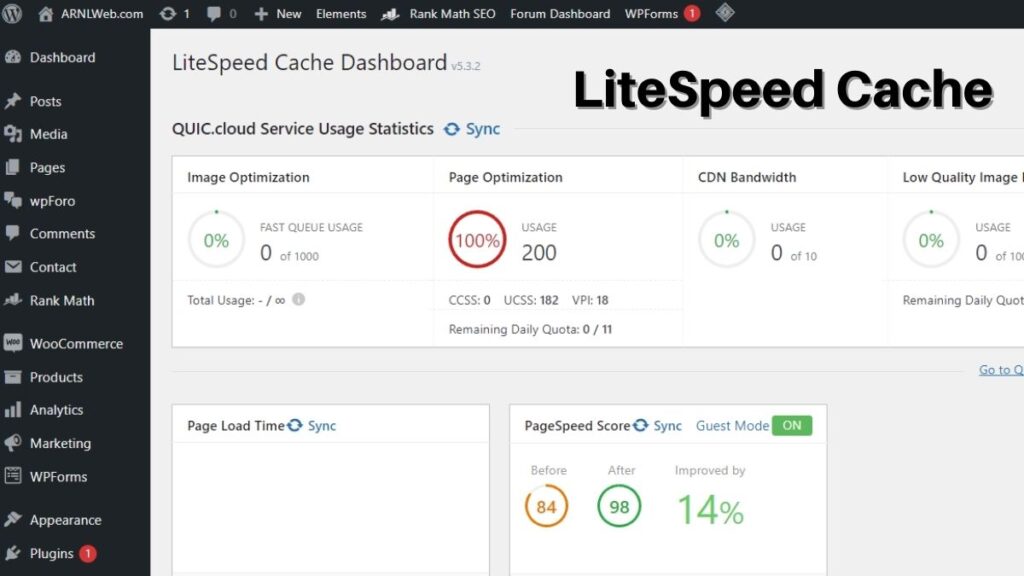
While the above plugins excel, LiteSpeed Cache stands out for its server-level optimization and compatibility with Apache, Nginx, and LiteSpeed servers. Features include:
- Advanced caching: Page, browser, and object caching.
- Image optimization: Lazy loading and WebP conversion.
- Integration: Works seamlessly with WooCommerce and Yoast SEO.
Pair LiteSpeed Cache with a fast-loading WordPress theme for maximum performance. Use tools such as Google PageSpeed Insights to test the speed of your website.
Why Caching Matters
Caching plugins reduce server requests, compress files, and deliver content faster. For example:
- WP Rocket’s cache preloading ensures pages are ready instantly.
- Autoptimize slashes file sizes via minification.
- Swift Performance combines caching with database cleanup.
For WordPress beginners, start with Cache Enabler or Comet Cache. Advanced users can leverage W3 Total Cache’s granular controls.
Final Thoughts
Choosing the right WordPress cache plugin depends on your site’s needs and technical skill. Prioritize features like CDN support, ease of use, and compatibility with WordPress themes. For more guides, explore our WordPress optimization category.