
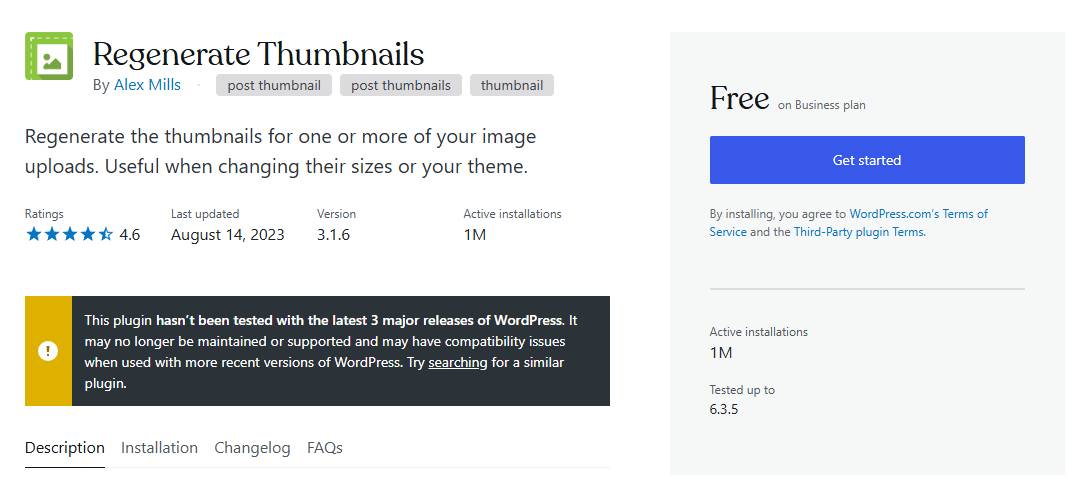
Managing a WordPress site demands precision in image handling. The Regenerate Thumbnails plugin solves critical challenges by automating thumbnail regeneration, ensuring images adapt seamlessly to theme changes or updated dimensions.
What Is the Regenerate Thumbnails Plugin?
This WordPress plugin rebuilds thumbnails for existing images. When switching themes or adjusting image sizes, it eliminates manual re-uploads by regenerating files to match new specifications.
| Key Features | Benefits |
|---|---|
| Bulk & Selective Regeneration | Save time by updating all images or targeting specific files. |
| Theme/Plugin Compatibility | Works with most WordPress themes and plugins for consistent results. |
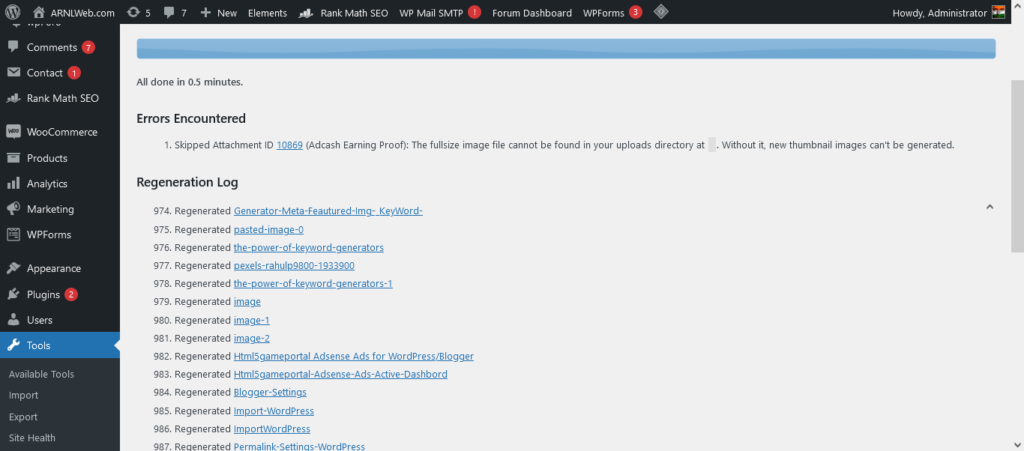
| Detailed Progress Logs | Track success rates and troubleshoot issues efficiently. |
Why Use This Plugin?
- Theme Adjustments: Switching themes often disrupts image dimensions. The plugin ensures thumbnails align with new layouts.
- Performance Boost: Optimized thumbnails reduce page load times, improving user experience and SEO.
- Visual Consistency: Maintain uniform thumbnail sizes across your site for a polished appearance.
How to Install and Use the Plugin
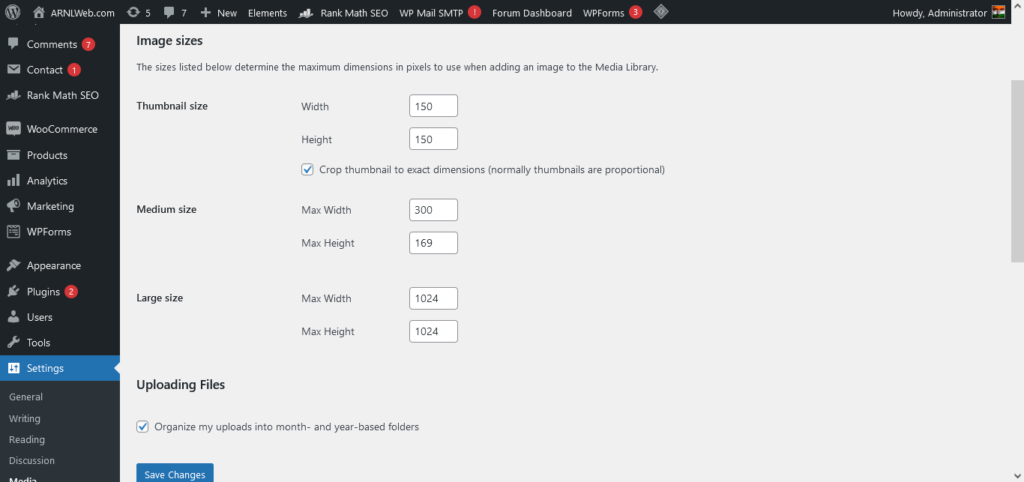
Step 1: Installation
- Navigate to Plugins > Add New in your WordPress dashboard.
- Search for “Regenerate Thumbnails,” install, and activate it.
Step 2: Regenerate Thumbnails
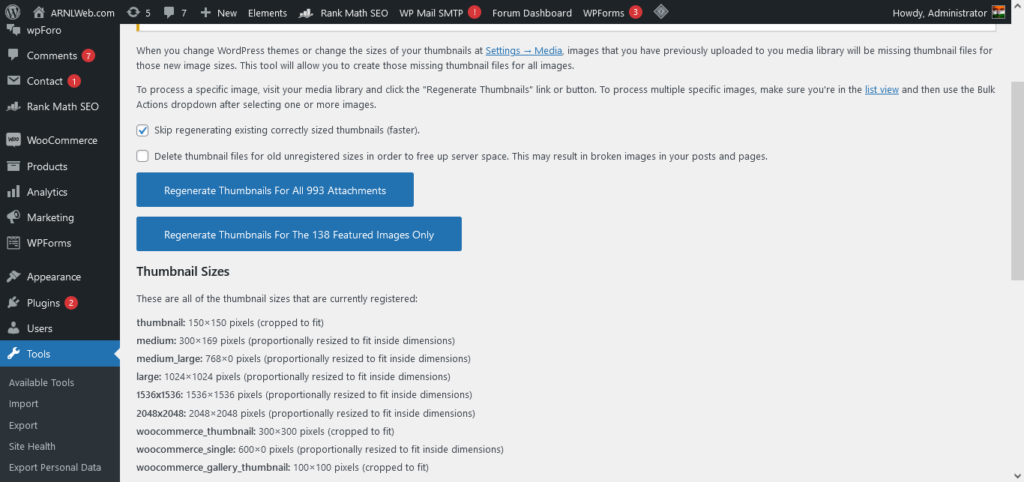
- Go to Tools > Regenerate Thumbnails.
- Choose between regenerating all images or selecting specific files.
- Click Regenerate Thumbnails and monitor the progress bar.
Step 3: Verify Results
Check regenerated images on your site. Use the plugin’s logs to address errors, if any.