
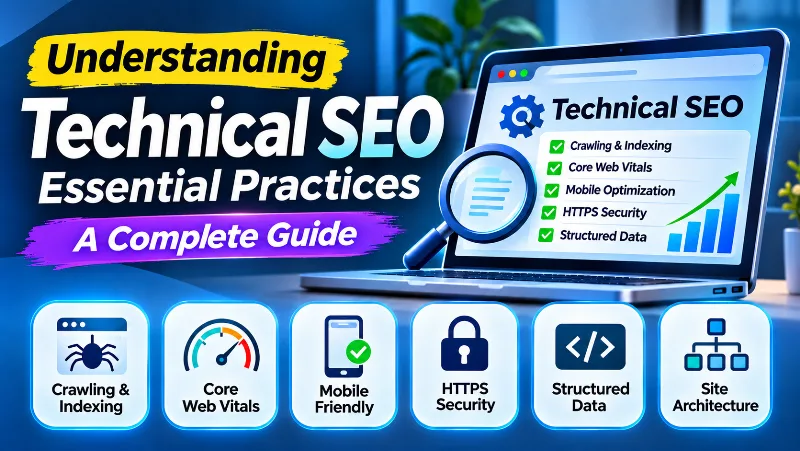
Technical SEO is the process of improving a website’s technical foundation so search engines can discover, crawl, render, and understand its pages. It covers essential areas such as website architecture, indexing, XML sitemaps, canonical URLs, page speed, mobile usability, HTTPS, and structured data.
You can publish excellent content and still experience search visibility problems if important pages cannot be crawled, your website serves server errors, or search engines receive conflicting indexing instructions. Technical SEO helps identify and resolve these problems while improving the experience for visitors.
At ARNL Web Solutions, we consider technical SEO an essential part of building and maintaining a healthy website. In this guide, we’ll explain the most important technical SEO practices, show you how to identify common problems, and introduce tools you can use to monitor your website.

What Is Technical SEO and Why Is It Important?
Technical SEO refers to improvements made to a website’s infrastructure and technical configuration to help search engines access and process its content. Unlike traditional content optimization, which focuses on keywords, topics, and information quality, technical SEO focuses on how a website works behind the scenes.
Think of a website as a large library. Its articles and pages are the books, while its navigation, catalog, and organization help visitors find what they need. Technical SEO provides a similar structure for search engine crawlers.

Definition of Technical SEO
Technical SEO includes the non-content elements that affect how search engines access, render, and index a website. Common areas include:
- Website crawling and indexing.
- XML sitemaps and robots.txt configuration.
- URL structure and canonicalization.
- Website speed and Core Web Vitals.
- Mobile-friendly and responsive design.
- HTTPS and website security.
- JavaScript rendering and crawlable links.
- Structured data and technical metadata.
- Redirects, broken links, and server errors.
The Role of Technical SEO in an Overall SEO Strategy
Technical SEO supports the other parts of search engine optimization. Search engines need to discover and process your pages before those pages can be considered for search results. A technically healthy website makes this process easier and helps visitors access information without unnecessary obstacles.
However, technical SEO alone does not guarantee higher rankings. Search visibility also depends on relevance, content quality, competition, and many other signals. A technically perfect website can still struggle if its content does not satisfy what visitors are searching for.
Benefits for Website Performance and Search Visibility
A well-maintained technical foundation can help you:
- Make important pages easier for search engines to discover.
- Reduce unnecessary crawl and indexing problems.
- Improve page loading, responsiveness, and visual stability.
- Provide a better experience across mobile and desktop devices.
- Prevent duplicate URL and redirect problems.
- Help search engines understand your website’s structure and content.
- Identify technical errors before they affect a larger number of pages.
Optimizing Your Website for Better Crawling and Indexing

Crawling and indexing are two fundamental stages of how search engines process website content. Crawling is the process of discovering and requesting URLs. Indexing involves analyzing the content and deciding whether it should be stored in a search engine’s index.
A page being crawled does not automatically mean it will be indexed. Search engines evaluate many factors before deciding which pages are suitable for their search results.
Importance of a Clear Website Hierarchy
A well-organized website structure helps visitors and search engines understand how pages relate to one another. Important content should be reachable through clear navigation and relevant internal links.
For example, a business website might use this hierarchy:
- Homepage
- Services
- Web Development
- SEO Services
- Website Maintenance
- Blog
- Technical SEO
- On-Page SEO
- Website Performance
- About
- Contact
Use descriptive navigation labels, meaningful category pages, and contextual internal links. Avoid leaving important pages isolated without links from other relevant sections of the website.
Our guide to internal linking strategies explains how to organize links between related pages.
How to Create and Use XML Sitemaps
An XML sitemap is a file that lists URLs you want search engines to discover. It is especially helpful for large websites, new websites, websites with complex navigation, and sites containing frequently updated pages or important media content.
A sitemap does not force search engines to crawl or index every listed URL. It is a discovery and prioritization signal, not a guarantee of indexing.
For a WordPress website, SEO plugins such as Rank Math or Yoast SEO can generate XML sitemaps automatically. Before submitting one, check that it contains your preferred canonical URLs and does not include unnecessary pages such as search results, duplicate archives, or URLs you have intentionally marked as noindex.
To submit your sitemap:
- Open Google Search Console.
- Select your verified website property.
- Open the Sitemaps section.
- Enter the sitemap URL, for example
https://example.com/sitemap_index.xml. - Submit it and review the reported status.
- Check the Page indexing report for important URLs that are not indexed.
Robots.txt and Indexing Instructions
The robots.txt file provides instructions about which parts of a website compliant crawlers are allowed to request. It is commonly used to manage crawler access and reduce unnecessary requests.
For example, a simple robots.txt file might look like this:
User-agent: *
Disallow: /wp-admin/
Allow: /wp-admin/admin-ajax.php

Sitemap: https://example.com/sitemap_index.xml
Replace the example sitemap address with your actual sitemap URL and review any existing rules before making changes. Incorrect robots.txt instructions can prevent search engines from accessing important pages or resources.
Important difference: robots.txt controls crawling, while a noindex directive controls indexing. Blocking a URL in robots.txt does not reliably remove that URL from search results. When a page needs to be excluded from indexing, allow the crawler to access it so it can read the noindex instruction.
Learn more from Google’s robots.txt documentation.
Managing URL Structures and Canonicalization
Clean URL structures help visitors understand what a page is about. Use readable, descriptive URLs and avoid unnecessary parameters, confusing identifiers, and inconsistent URL formats.
For example, this is easier to understand:
https://www.example.com/technical-seo-tips/
Compared with:
https://www.example.com/index.php?id=12345&category=7
Canonicalization helps search engines identify the preferred URL when the same or very similar content is accessible through multiple URLs. You can indicate a preferred version using a canonical link element:
<link rel="canonical" href="https://www.example.com/technical-seo-tips/" />Canonical tags are signals rather than absolute commands. Search engines may select a different canonical URL if other signals conflict with your preference. Use consistent internal links, redirects, sitemap URLs, and canonical tags to reinforce the preferred version.
For example, decide whether your preferred website format uses www or non-www, and consistently redirect the alternative version. Also check trailing slashes, uppercase and lowercase URL variations, HTTP and HTTPS versions, and tracking parameters.
Read Google’s guide to canonical URLs and duplicate page consolidation.
JavaScript SEO and Page Rendering
Modern websites frequently use JavaScript to load content, create interactive interfaces, and communicate with APIs. Search engines such as Google can render JavaScript, but the process involves additional steps and may take longer than processing a page whose main content is already available in its HTML.
To make JavaScript-based websites easier to crawl and understand:
- Ensure important page content is available in the rendered HTML.
- Use crawlable links with valid
hrefattributes. - Avoid requiring user interaction before important content becomes available.
- Do not block important JavaScript or CSS resources through robots.txt.
- Use server-side rendering or pre-rendering where it improves reliability and performance.
- Check the rendered page with Google Search Console’s URL Inspection tool.
Google’s rendering capabilities do not mean every search engine or automated crawler will process JavaScript in the same way. Making essential content accessible without depending entirely on client-side scripts can improve compatibility.
Official guide: Google JavaScript SEO basics.
Enhancing Website Speed and Performance

Website speed affects how quickly visitors can access your content and interact with your pages. Slow-loading pages, delayed interactions, and unexpected layout changes can frustrate users and reduce the quality of their browsing experience.
The Impact of Site Speed and Core Web Vitals
Google uses Core Web Vitals to measure important aspects of real-world page experience. The current Core Web Vitals include three metrics:
- Largest Contentful Paint (LCP): Measures how quickly the largest visible content element loads. A good result is 2.5 seconds or less.
- Interaction to Next Paint (INP): Measures how responsive a page is to user interactions. A good result is 200 milliseconds or less.
- Cumulative Layout Shift (CLS): Measures unexpected visual movement during a page’s lifetime. A good result is 0.1 or less.
Google evaluates these metrics using real-user data, generally at the 75th percentile of visits. The results are grouped into Good, Needs Improvement, and Poor categories.
Core Web Vitals are used by Google’s ranking systems, but achieving good scores does not guarantee higher rankings. Relevant, useful content remains important, and a perfect performance score is not a substitute for a good website.
Learn more in Google’s Core Web Vitals documentation.
Tools for Measuring Website Speed
Before making performance changes, measure your website to identify the actual bottlenecks. These tools provide useful information:
- Google PageSpeed Insights: Measures mobile and desktop performance and provides both real-user field data, when available, and Lighthouse diagnostic results.
- Google Search Console: Provides a Core Web Vitals report using real-user experience data.
- Google Lighthouse: Audits performance, accessibility, best practices, and SEO in a controlled test environment.
- GTmetrix: Provides website performance reports and loading diagnostics.
- WebPageTest: Helps investigate page loading behavior and performance under different testing conditions.
Remember that laboratory test results and real-user field data are different. A single PageSpeed Insights test does not represent every visitor’s experience. Use repeated tests and Search Console’s field data to understand performance more accurately.
Practical Tips for Improving Load Times
- Optimize Images: Compress images and use suitable formats such as WebP or AVIF where supported. Serve images at appropriate dimensions and use responsive image techniques. Add lazy loading to suitable below-the-fold images, but avoid unnecessarily delaying the main image that determines LCP.
- Use Browser and Server Caching: Configure suitable cache headers for static assets and use server-side or page caching where appropriate. A caching plugin or server-level cache can reduce repeated processing.
- Reduce Unnecessary HTTP Requests: Remove unused scripts, plugins, stylesheets, and third-party resources. Avoid loading resources that are not needed on a particular page.
- Compress Website Resources: Enable Brotli or GZIP compression for supported text-based resources such as HTML, CSS, and JavaScript.
- Use a Content Delivery Network: A CDN can serve cached content from locations closer to visitors, reducing latency for users who are far from your origin server.
- Improve Server Response Time: Review hosting resources, database performance, PHP execution, and application queries. A CDN cannot fix every problem caused by a slow origin server.
- Optimize JavaScript and CSS: Minify files where beneficial, remove unused code, defer non-critical scripts, and reduce render-blocking resources. Test changes to avoid breaking website functionality.
- Reduce Layout Shifts: Specify image dimensions and reserve space for advertisements, embeds, and dynamically loaded elements.
A Practical Website Speed Optimization Example
Consider a WordPress website with slow-loading article pages. The homepage may contain large hero images, several unnecessary scripts, unoptimized database queries, and multiple third-party widgets.
A sensible optimization process would be to measure the pages first, identify the largest performance problems, compress and resize images, remove unnecessary scripts, configure caching, and test the results again. This approach is more reliable than installing several optimization plugins without knowing what is causing the slowdown.
Mobile-Friendliness and Responsive Design

Mobile usability is an essential part of modern website development. Visitors should be able to read content, use navigation, complete forms, and interact with important website features on smartphones and tablets without unnecessary difficulty.
Mobile-First Indexing and Its Significance
Google primarily uses the mobile version of a website’s content for indexing and ranking. This approach is known as mobile-first indexing.
Make sure your mobile version contains the important content, structured data, metadata, and internal links available on the desktop version. Avoid hiding essential information from mobile visitors or serving an incomplete version of a page.
Responsive web design is generally a practical approach because the same page URL and HTML can adapt to different screen sizes. It also reduces the need to maintain separate desktop and mobile page versions.
Official guide: Google mobile-first indexing best practices.
Best Practices for Responsive Web Design

A responsive website should adjust its layout, images, typography, and navigation according to the available screen space. Follow these practices:
- Use Flexible Layouts: Use responsive grids, flexible containers, and relative units so that page elements adjust to different screen sizes.
- Optimize Images: Use responsive image techniques and ensure images do not overflow their containers or become distorted.
- Use CSS Media Queries: Apply appropriate styles for different viewport widths and device characteristics.
- Make Navigation Mobile-Friendly: Ensure menus, dropdowns, and navigation elements are easy to use on small screens.
- Improve Touch Interaction: Provide sufficiently large interactive elements and appropriate spacing between buttons and links.
- Keep Content Readable: Choose suitable font sizes, line lengths, and spacing for smaller screens.
- Avoid Horizontal Scrolling: Check tables, embedded content, images, and other elements that may extend beyond the viewport.
Tools for Testing Mobile Usability
Google retired its Mobile-Friendly Test tool and the Search Console Mobile Usability report in December 2023. Instead of following older instructions to use those tools, test your website with current resources.
- PageSpeed Insights: Review mobile performance and related diagnostics.
- Chrome DevTools: Use device emulation to inspect layouts at different screen sizes.
- Google Lighthouse: Test performance and other page quality metrics.
- Real devices: Check your website on actual smartphones and tablets to identify usability problems that emulators may not reveal.
- Search Console URL Inspection: Check how Google accesses and renders an important page.
Do not rely only on a performance score. Manually check navigation, forms, image scaling, menus, advertisements, and important interactive elements on mobile devices.
Improving Website Security with HTTPS

Website security is an important part of maintaining a trustworthy online presence. HTTPS protects communication between a visitor’s browser and your website using TLS encryption. It helps prevent unauthorized parties from reading or modifying information exchanged over the connection.
Why HTTPS Matters for SEO and Website Security
HTTPS protects information such as login credentials, contact form submissions, and payment-related communication. It also helps browsers establish a secure connection with your website.
Google has confirmed that HTTPS is a lightweight ranking signal and generally prefers HTTPS versions of equivalent URLs when selecting canonical pages. However, HTTPS should primarily be implemented for security and user trust, not as a shortcut to higher rankings.
Steps to Implement HTTPS on Your Website
- Obtain an SSL/TLS Certificate: Choose a certificate suitable for your domain. Many hosting providers offer certificates, and Let’s Encrypt provides free certificates for supported configurations.
- Install the Certificate: Configure the certificate on your web server, hosting control panel, or supported proxy service.
- Update Website URLs: Change your website’s preferred URL to HTTPS in your CMS and update relevant internal references.
- Set Up Permanent Redirects: Configure server-side 301 redirects from HTTP to the preferred HTTPS version. Make sure the redirects do not create chains or loops.
- Update Canonical URLs and Sitemaps: Use HTTPS URLs consistently in canonical tags and XML sitemaps.
- Fix Mixed Content: Update images, scripts, stylesheets, fonts, and other resources that are still being requested through HTTP.
- Verify the Configuration: Test certificate validity, redirect behavior, important pages, and website functionality.
Troubleshooting Common HTTPS Issues
- Mixed Content: A secure page may still load some resources over HTTP. Identify those resources and update their URLs or configuration to use HTTPS.
- Certificate Errors: Check certificate expiration, domain coverage, certificate chain, and server configuration.
- Redirect Loops: Review the web server, CMS, CDN, and reverse proxy settings to identify conflicting redirect rules.
- HTTP Canonical URLs: Ensure canonical tags and XML sitemap entries consistently refer to the preferred HTTPS URLs.
- Internal HTTP Links: Update older internal links so visitors do not unnecessarily pass through redirects.
HTTPS is only one part of website security. Continue to maintain software updates, strong authentication, backups, access controls, and appropriate firewall protection.
Fixing Common Technical SEO Issues

Technical SEO problems can affect how search engines access and process your pages. Regular audits help identify errors such as broken links, incorrect redirects, duplicate URLs, server failures, and accidental indexing restrictions.
Identifying and Resolving Broken Links
A broken link points to a resource that is unavailable or no longer exists. Broken links can frustrate visitors and make website navigation less useful.
To find and fix broken links:
- Find Broken Links: Crawl your website using tools such as Screaming Frog SEO Spider or Ahrefs Site Audit. Review internal links that return 4xx errors.
- Update Incorrect Links: If the destination page has moved, update the link to the correct URL.
- Restore Important Pages: If a page was removed accidentally, restore it when appropriate.
- Set Relevant Redirects: When a page has permanently moved, redirect the old URL to its closest relevant replacement.
- Remove Unnecessary Links: If a destination is no longer relevant and has no suitable replacement, remove the link.
Do not redirect every deleted URL to the homepage. Redirects should take visitors to a genuinely relevant replacement. Pages that have permanently disappeared without a suitable replacement can return a proper 404 or 410 response.
Handling Duplicate Content and Thin Pages
Duplicate content occurs when identical or very similar information is available through multiple URLs. Common examples include parameter variations, HTTP and HTTPS versions, www and non-www URLs, and alternative paths that display the same content.
To manage these problems:
- Identify Duplicate URLs: Use website crawlers and Google Search Console to investigate duplicate pages and conflicting indexing signals.
- Use Canonical Tags: Specify the preferred URL for duplicate or very similar pages when appropriate.
- Use Redirects: Permanently redirect obsolete duplicate URLs to the preferred destination when the pages should no longer exist separately.
- Consolidate Similar Content: Combine pages when they serve the same purpose and a single stronger resource would be more useful.
- Use Noindex When Appropriate: Apply a noindex directive to pages that should remain accessible but should not appear in search results.
Remember that canonicalization and noindex serve different purposes. A canonical tag indicates a preferred version among duplicate or similar URLs. A noindex directive asks search engines not to include a page in their search results.
For duplicate or thin pages, do not apply noindex automatically. Review whether the content has a useful purpose, should be improved, or should be consolidated with another page.
Monitoring and Fixing Crawl Errors
Search Console provides reports that help you understand whether Google can access and process your website’s URLs. The current Page indexing report is the place to investigate indexing status and reasons why some pages may not be indexed.
Use the URL Inspection tool to examine an individual URL, review the indexed version, and run a live test after making changes.
Common issues include:
- 404 Not Found: Check whether the page was deleted or moved. Restore it or redirect it to a relevant replacement when appropriate.
- 5xx Server Errors: Investigate server logs, resource limits, application errors, database problems, and hosting availability.
- Redirect Errors: Check for redirect loops, excessive redirect chains, and incorrect destinations.
- Blocked by robots.txt: Check whether important pages or rendering resources have been accidentally blocked.
- Excluded by noindex: Review whether the page is intentionally excluded or has an incorrect indexing directive.
- Duplicate Without User-Selected Canonical: Review duplicate URLs, internal links, canonical tags, and redirects to make your preferred version clearer.
- Soft 404: Check whether a page returns a successful status code even though its content indicates that the page does not exist or has no useful information.
A successful HTTP 200 response does not guarantee that Google will index a page. Likewise, not every URL reported as excluded is a technical error. Some pages are intentionally not indexed. Focus on important URLs that should be available in search results.
A Practical Technical SEO Audit Routine
Use this repeatable process when reviewing a website:
- Check important URLs in Google Search Console.
- Review the Page indexing report for unexpected exclusions and errors.
- Inspect the XML sitemap for invalid, redirected, or noindex URLs.
- Crawl the website to identify broken internal links and redirect chains.
- Check canonical tags and robots.txt instructions.
- Review server response codes and investigate recurring 5xx errors.
- Measure Core Web Vitals and inspect slow templates.
- Test mobile layouts and important interactive features.
- Review structured data for errors and policy compliance.
- Record fixes and monitor the affected URLs after Google recrawls them.
Structured Data, Featured Snippets, and Search Appearance

Search engines use page content, links, and structured data to understand what a page is about. Clear answers, useful headings, and properly implemented structured data can help search engines interpret your content and determine whether it qualifies for certain search result features.
Understanding Voice Search
Voice search allows people to ask questions using spoken language instead of typing. Voice queries often sound conversational, but they do not require a separate technical SEO system or a special voice-search ranking tag.
Focus on creating useful pages that answer real questions clearly. Use descriptive headings, natural language, accurate information, and a logical content structure. These practices can help users whether they search by typing, speaking, or using other search interfaces.
Using Structured Data Correctly
Structured data is code that helps search engines interpret information on a page. Schema.org vocabulary provides common data types and properties, while Google supports specific structured data features for eligible search experiences.
Depending on your page and its content, relevant structured data may include:
- Organization: Provides information about an organization or business.
- Article: Describes an article or blog post.
- BreadcrumbList: Describes the page’s position within a website hierarchy.
- Product: Describes eligible product information.
- LocalBusiness: Describes qualifying local business details.
- VideoObject: Describes video content.
Use JSON-LD where appropriate, and make sure your structured data accurately reflects information that visitors can see on the page. Do not add fake ratings, reviews, business information, or properties that do not apply to the content.
Validate eligible markup using Google’s Rich Results Test and review relevant reports in Search Console.
Important: Correct structured data does not guarantee rich results, featured snippets, or higher rankings. Google decides whether to display eligible search features based on its systems and applicable content policies.
Creating Content That Can Earn Featured Snippets
Featured snippets are selected by Google’s systems when a page provides a useful answer to a search query. There is no special markup that guarantees a featured snippet.
To make information easier for readers and search engines to understand:
- Answer Questions Clearly: Provide a direct explanation near the relevant heading.
- Use Descriptive Headings: Organize information using meaningful H2 and H3 headings.
- Use Lists Where Useful: Present procedures and grouped information in numbered or bulleted lists.
- Use Tables for Comparisons: Organize genuinely comparable information in tables when that makes it easier to understand.
- Keep Answers Accurate: Avoid exaggerated claims, unsupported statistics, or unnecessary filler.
- Use Relevant Internal Links: Link to related guides that provide useful additional information.
Google chooses featured snippets automatically, and publishing information in a particular format does not guarantee that it will appear. Prioritize helping visitors find accurate answers rather than trying to force a specific search result format.
For additional on-page recommendations, see our on-page SEO checklist.
Essential Technical SEO Tools
You do not need dozens of tools to maintain a technically healthy website. Start with a few reliable resources and use them regularly.
- Google Search Console: Monitor indexing, inspect URLs, submit sitemaps, and review Core Web Vitals.
- PageSpeed Insights: Measure performance and receive optimization recommendations.
- Google Lighthouse: Audit performance, accessibility, best practices, and SEO.
- Screaming Frog SEO Spider: Crawl websites and investigate technical issues such as broken links, redirects, titles, and canonical tags.
- Ahrefs Site Audit: Review technical and on-page issues through automated website crawls.
- GTmetrix: Analyze loading performance and diagnose page speed problems.
The best tool is the one that helps you identify a real problem and verify that the fix worked. Automated audit warnings are useful starting points, but review their context before making changes.
Technical SEO Checklist
Use this checklist as a practical starting point when launching a new website or reviewing an existing one.
- Important pages can be accessed by search engine crawlers.
- Important pages are not accidentally marked noindex.
- Robots.txt does not block essential pages or rendering resources.
- The XML sitemap contains the preferred URLs you want search engines to discover.
- Important pages have useful internal links.
- Canonical tags are consistent with redirects and sitemap URLs.
- HTTP URLs redirect to the preferred HTTPS versions.
- The website does not contain unnecessary redirect chains or loops.
- Important pages return the correct HTTP status codes.
- Broken internal links have been investigated and corrected.
- Mobile content is complete and easy to use.
- Core Web Vitals are monitored and performance bottlenecks are investigated.
- Images are appropriately sized and compressed.
- Important JavaScript-generated content can be accessed and rendered.
- Structured data matches the visible page content.
- Security certificates are valid and website software is maintained.
- Google Search Console is connected and indexing reports are reviewed.
- Regular technical audits are scheduled.
Conclusion: Make Technical SEO an Ongoing Practice
Technical SEO is not a one-time task. It is an ongoing process of maintaining your website’s structure, accessibility, performance, security, and search engine compatibility.
Start by ensuring that search engines can access your important pages. Maintain a clean site hierarchy, use XML sitemaps and canonical URLs correctly, monitor Core Web Vitals, and test your website on mobile devices. Regularly investigate broken links, redirects, indexing problems, and server errors.
Remember that technical SEO supports your broader search strategy. It helps search engines access and understand your content, but lasting search visibility also requires useful information, relevant topics, a good user experience, and consistent website maintenance.
For a broader understanding of SEO, explore our guides to search engine optimization, on-page SEO, and AI content and Google rankings.
At ARNL Web Solutions, we believe a technically sound website provides a stronger foundation for content, user experience, and long-term business growth.