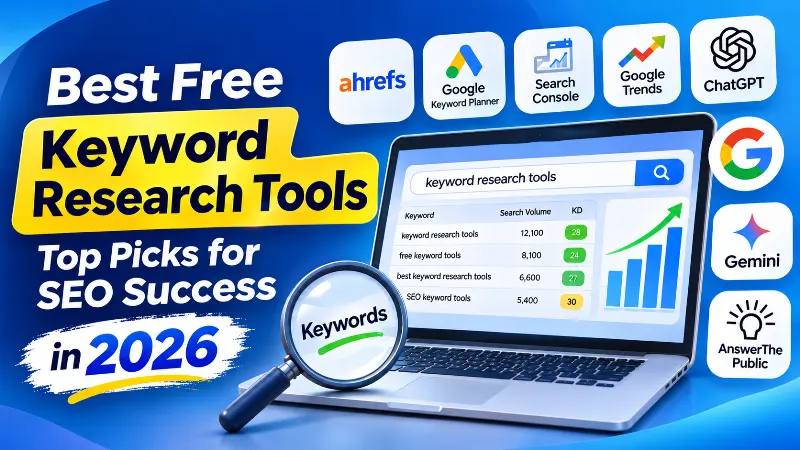
Finding the best free keyword research tools is an important step in building organic search traffic. Before writing an article or creating a new website page, you need to understand what people search for, how competitive those searches are, and which keywords are relevant to your audience.
You do not need an expensive SEO subscription to get started. Several free keyword research tools can help you discover keyword ideas, analyze search demand, understand search intent, and identify opportunities in your existing website content.
This guide covers 10 useful free keyword research tools for bloggers, website owners, SEO professionals, and digital marketers in 2026. It includes dedicated keyword generators, Google research tools, SEO platforms, and AI assistants that can help organize your keyword strategy.
Why Keyword Research Matters
Keyword research helps you understand what people are searching for and why they are searching for it. It provides a foundation for planning articles, improving existing pages, and identifying topics that deserve more attention.
Effective keyword research helps you:
- Discover relevant topics for your website.
- Find questions and long-tail keyword variations.
- Understand informational, commercial, and transactional search intent.
- Evaluate competing pages and ranking difficulty.
- Identify content gaps and keyword opportunities.
- Prioritize keywords based on business relevance.
- Monitor existing website search performance.
High search volume alone does not make a keyword valuable. A specific phrase with lower search demand may attract more relevant visitors than a broad keyword that has little connection to your website.
Essential Steps for Keyword Research
Follow this process before selecting keywords for a new article or updating an existing page.
- Identify broad topics: Start with subjects related to your website, products, services, and audience.
- Generate keyword ideas: Use keyword generators, autocomplete suggestions, questions, and AI brainstorming.
- Analyze search intent: Understand whether users want information, instructions, comparisons, or products.
- Check search demand: Compare available search volume estimates and trend information.
- Study competitors: Examine the actual pages ranking for your target keywords.
- Evaluate competition: Review ranking pages, backlinks, content quality, and keyword difficulty estimates.
- Prioritize keywords: Choose relevant opportunities based on search intent, business value, and realistic ranking potential.
- Track performance: Monitor clicks, impressions, CTR, and average position using Google Search Console.
Top 10 Free Keyword Research Tools
| Tool | Best For |
|---|---|
| Ahrefs Keyword Generator | Keyword ideas and SEO metrics |
| AnswerThePublic | Question-based keyword research |
| ChatGPT | Seed keywords and topic clusters |
| Ahrefs Free | Existing website keyword opportunities |
| Google Keyword Planner | Keyword suggestions and search estimates |
| Google Search Console | Queries already generating website visibility |
| Google Trends | Search interest and seasonal trends |
| Ahrefs SERP Checker | Google search result and competitor analysis |
| Semrush Keyword Checker | Keyword difficulty and search intent estimates |
| Google Gemini | Keyword brainstorming and topic research |
Free tools may have daily search limits, restricted reports, or account verification requirements. Check their current terms before depending on a particular feature.
1. Ahrefs Keyword Generator: Discover Keyword Ideas
Official website: Ahrefs Keyword Generator
Ahrefs Keyword Generator is a free keyword research tool for discovering ideas around a seed keyword. Enter a topic such as “Bitcoin” or “WordPress optimization” to explore related phrases, questions, autocomplete suggestions, and keywords associated with top-ranking pages.
Depending on the keyword and selected database, the tool can also display estimated search volume, Keyword Difficulty, and other SEO metrics.
Useful features:
- Related keyword suggestions.
- Question-based keyword ideas.
- Autocomplete keyword suggestions.
- Country-specific and global search estimates.
- Long-tail keyword discovery.
- Competition and SERP research information.
How to use it:
- Open Ahrefs Keyword Generator.
- Enter your seed keyword.
- Select your target country.
- Review matching keyword suggestions.
- Explore question-based searches.
- Save relevant ideas for further research.
Example: For the seed keyword “Bitcoin”, possible research topics include Bitcoin price, Bitcoin wallets, Bitcoin security, and questions about how Bitcoin works.
Limitation: The free generator provides limited access compared with Ahrefs Keywords Explorer. Its metrics are estimates and should be validated against actual search results and your website’s needs.
Also try our own tool: ARNLWeb provides a Keyword Research Tool with an embedded third-party keyword research interface. It presents keyword research information such as search volume, competition, CPC, trends, and SERP data when available. The exact output depends on the embedded tool and its current data availability. This is an ARNLWeb resource, not an Ahrefs product.
2. AnswerThePublic: Discover What People Are Asking
Official website: AnswerThePublic
AnswerThePublic helps discover questions and related search phrases around a topic. It organizes suggestions into visual reports, making it easier to understand how people investigate a subject.
For example, entering “WordPress plugins” can reveal questions about installation, security, performance, comparisons, pricing, and plugin recommendations.
Key features:
- Question-based keyword suggestions.
- Comparison and related search ideas.
- Visual keyword reports.
- Search modifiers and topic variations.
- Content planning opportunities.
How to use it:
- Open AnswerThePublic.
- Enter a keyword related to your niche.
- Select the available country and language settings.
- Explore questions and related phrases.
- Save relevant ideas for your content plan.
Free access: AnswerThePublic currently documents up to three free searches per day. Some suggestions, data points, and exports are limited on the free plan.
Check AnswerThePublic’s free-plan details.
3. ChatGPT: Brainstorm Seed Keywords and Topic Clusters
Official website: ChatGPT
ChatGPT is not a traditional keyword database, but it is useful for brainstorming seed keywords, identifying related topics, grouping keyword variations, and planning content clusters.
For example, a blogger writing about affiliate marketing can ask ChatGPT to suggest topics related to affiliate programs, product comparisons, blogging monetization, conversion optimization, and affiliate SEO.
Useful applications:
- Generate seed keyword ideas.
- Organize keywords into topic clusters.
- Classify search intent.
- Discover question-based topics.
- Prepare content briefs.
- Identify possible keyword cannibalization.
Example prompt:
Act as an SEO keyword research specialist.

Website niche: Affiliate marketing
Target country: India
Target audience: Beginner bloggers

Generate relevant keyword ideas for my website.

Organize them into:

1. Primary keywords
2. Secondary keywords
3. Long-tail keywords
4. Question-based keywords
5. Comparison keywords
6. Informational keywords
7. Commercial investigation keywords

For each keyword, suggest:
- Search intent
- Reader's objective
- Possible article title
- Suggested content format
- Related topic cluster

Do not invent search volume, CPC, or Keyword Difficulty.

Clearly mark all ideas that require validation using keyword research tools.
Pro tip: Combine ChatGPT with Google Trends and Ahrefs Keyword Generator. Use AI for brainstorming and organization, then validate important opportunities with search data.
Limitation: AI-generated keyword suggestions are ideas, not verified evidence of search demand. ChatGPT can also search the web when that feature is available, but important sources should still be checked.
Learn about ChatGPT web search.
4. Ahrefs Free: Find Keyword Opportunities for Your Website
Official website: Ahrefs Free
Ahrefs Webmaster Tools has been renamed and expanded into Ahrefs Free. It provides selected SEO tools for website owners who verify their websites.
One of its useful features is Site Explorer, which helps you examine keywords your website ranks for, pages receiving estimated organic traffic, and websites linking to your content.
Useful features:
- Organic keyword reports for verified websites.
- Top-page research.
- Backlink and referring-domain information.
- Technical SEO audits through Site Audit.
- Website performance and SEO monitoring features.
How to use it:
- Create an Ahrefs Free account.
- Verify ownership of your website.
- Open Site Explorer.
- Review the Organic Keywords report.
- Identify relevant keywords with improvement opportunities.
- Inspect the pages currently ranking for those terms.
- Update content when there is a genuine relevance or quality improvement to make.
Important: Ahrefs Free has usage limits. Its free account provides access to selected reports for verified websites, rather than the complete competitor research capabilities of paid subscriptions.
Read the official Ahrefs Free feature and limit information.
5. Google Keyword Planner: Discover Related Keywords
Official website: Google Keyword Planner
Google Keyword Planner is a keyword research tool inside Google Ads. It helps users discover related keywords and examine estimates of monthly searches and advertising costs.
Although designed for advertising research, bloggers can also use its keyword suggestions to discover relevant topics and understand search demand.
Useful features:
- Discover new keyword ideas.
- Enter a website to generate related suggestions.
- Review estimated monthly search activity.
- Research location-specific demand.
- Compare advertising competition.
- Review suggested bid estimates.
How to use it:
- Sign in to Google Ads.
- Complete the required account setup, including billing information.
- Open Keyword Planner.
- Select Discover New Keywords.
- Enter seed terms or a relevant website URL.
- Select your target location.
- Review keyword ideas and available estimates.
Limitation: Keyword Planner is designed for Google Ads. Its advertising competition and bid estimates should not be confused with organic SEO difficulty. Access requires completing Google Ads account setup with billing information.
Read Google’s official Keyword Planner instructions.
6. Google Search Console: Discover Keywords Already Bringing Impressions
Official website: Google Search Console
Google Search Console is one of the most valuable free resources for researching queries associated with your own website.
Its Performance report shows how your pages appear in Google Search and provides important metrics such as clicks, impressions, click-through rate, and average position.
Useful opportunities:
- Queries already generating website impressions.
- Pages receiving impressions but few clicks.
- Queries with declining clicks or impressions.
- Pages with changing average positions.
- Country and device performance differences.
- Content opportunities from existing search queries.
How to use it:
- Verify your website in Search Console.
- Open the Performance report.
- Select Search Results.
- Open the Queries tab.
- Review clicks, impressions, CTR, and average position.
- Export the report for further keyword analysis.
- Compare date ranges to identify meaningful performance changes.
Example: A page may receive impressions for “best WordPress security plugins” but attract relatively few clicks. Examine the actual search results, the page’s title and description, and whether its content satisfies the query.
Important limitation: Search Console reports queries associated with your website, not a complete database of all keyword opportunities. Its average position is an aggregated metric and should not be treated as an exact live ranking for every search.
Read Google’s Search Console Performance report guide.
7. Google Trends: Identify Rising Searches and Seasonal Demand
Official website: Google Trends
Google Trends helps compare search interest over time and across locations. It is useful for understanding whether a topic is becoming more popular, losing interest, or experiencing seasonal demand.
For example, you can compare “AI writing tools” with “AI video generators” to see how their relative search interest changes over a selected period.
Useful features:
- Compare search interest across topics.
- Explore regional interest.
- Identify rising related searches.
- Investigate seasonal keyword patterns.
- Compare different date ranges.
- Explore related topics and queries.
How to use it:
- Open Google Trends.
- Enter a topic or keyword.
- Choose the target country or region.
- Select a suitable time range.
- Compare related topics.
- Review rising and related searches.
Important limitation: Google Trends does not provide exact monthly search volume. It uses sampled, aggregated, and normalized search data displayed on a relative scale from 0 to 100. A score of 100 represents the highest relative interest within the selected comparison, not 100 searches.
Read Google’s Google Trends data explanation.
8. Ahrefs SERP Checker: Analyze Google’s Search Results
Official website: Ahrefs SERP Checker
Keyword research should not stop after finding a search volume estimate. You also need to examine the actual pages ranking for the keyword.
Ahrefs SERP Checker helps you inspect the top Google results for a keyword and compare results across different locations.
Useful features:
- View top-ranking pages for a keyword.
- Compare results across geographic locations.
- Inspect ranking page titles and URLs.
- Review available backlink metrics.
- Examine estimated organic traffic for ranking pages.
- Investigate SERP position history where available.
How to use it:
- Open Ahrefs SERP Checker.
- Enter your target keyword.
- Choose your target location.
- Inspect the top-ranking pages.
- Compare their content types and search intent.
- Identify realistic content opportunities.
Limitation: SERP Checker provides a snapshot of search results for a chosen location and search configuration. Ranking results can vary by location, device, time, and other search conditions. Some advanced data and reports require a paid Ahrefs account.
9. Semrush Keyword Difficulty Checker: Understand Competition
Official website: Semrush Keyword Checker
Semrush provides keyword research information, including Keyword Difficulty, estimated monthly search volume, search intent, CPC, and ranking pages.
Keyword Difficulty is a useful comparison metric, but it should not be the only factor used to select a keyword.
Useful features:
- Keyword Difficulty estimates.
- Estimated monthly search volume.
- Search intent classification.
- CPC estimates.
- Top-ranking pages.
- SERP feature information.
How to use it:
- Open the Semrush Keyword Checker.
- Enter a keyword.
- Select the target country.
- Review available keyword metrics.
- Inspect the top-ranking pages.
- Compare the keyword with related alternatives.
Important: Semrush Keyword Difficulty uses its own methodology and is not directly interchangeable with Ahrefs Keyword Difficulty. There is no universal rule that every keyword below 30 is easy to rank for. Review the actual competing pages, search intent, and your website’s ability to provide a better answer.
Explore Semrush Keyword Overview.
10. Google Gemini: Brainstorm Keywords and Understand Search Intent
Official website: Google Gemini
Google Gemini is an AI assistant that can help bloggers explore topics, generate related keyword ideas, organize search questions, and plan content clusters.
You can use it to investigate what different audiences may want to know about a topic and identify possible article angles.
Example prompt:
Act as an SEO keyword research assistant.

Website niche: Technology and blogging
Target country: India
Audience: Beginner and intermediate bloggers

Research the topic "WordPress SEO".

Generate:
1. Primary keyword ideas.
2. Secondary keywords.
3. Long-tail variations.
4. Question-based searches.
5. Comparison keywords.
6. Informational search intents.
7. Commercial search intents.
8. Related topic clusters.

For every idea, explain:
- What the user wants to know
- Suitable article type
- Possible content angle
- Related topics to investigate

Do not invent search volume, CPC, or Keyword Difficulty scores.

Identify suggestions that require validation with actual SEO data.
Limitation: Gemini-generated keyword ideas are brainstorming suggestions. Validate their actual search demand, competition, and relevance using keyword research tools and Google results.
Advanced Tactics for Keyword Optimization
Once you have collected keyword ideas, use the following strategies to organize them into a practical SEO plan.
1. Target Relevant Long-Tail Keywords
Long-tail keywords are more specific search phrases that often reveal a clearer user need.
For example, instead of focusing only on “WordPress plugins”, research phrases such as:
- Best WordPress cache plugins for small websites.
- How to secure a WordPress website without coding.
- Free WordPress SEO plugins for beginners.
- How to improve WordPress website loading speed.
These specific searches can help you create articles that answer a more focused question.
2. Create Content Clusters
Group related keywords into meaningful topics rather than creating a separate article for every keyword variation.
For example, an SEO content cluster could include:
- Keyword research for beginners.
- On-page SEO optimization.
- Internal linking strategies.
- Technical SEO checks.
- Google Search Console monitoring.
Use a central guide for the broader subject and supporting articles for distinct reader questions. Link the pages where those connections are genuinely useful.
3. Understand Search Intent
Two similar keywords may require completely different types of pages.
| Search intent | Example | Suitable content |
|---|---|---|
| Informational | What is keyword research? | Explanation or beginner guide |
| How-to | How to find SEO keywords | Step-by-step tutorial |
| Commercial investigation | Best keyword research tools | Comparison and recommendations |
| Transactional | Buy SEO software | Product or subscription page |
| Navigational | Ahrefs Keyword Generator | Official tool or brand page |
Always inspect the current search results before deciding which content format best satisfies a keyword.
4. Use Geographic Filters for Local Keyword Research
Search interest can vary significantly between countries and regions. A keyword popular in the United States may have different demand in India.
Use the country filters in Keyword Planner, Ahrefs, and other SEO tools when researching a specific market. Google Trends can help compare relative interest across locations.
For local SEO, include city and service-area terms only when they represent genuine locations and services.
Common Keyword Research Mistakes to Avoid
- Choosing keywords only by search volume: High volume does not guarantee relevant traffic or conversions.
- Ignoring search intent: The content format must match what users want to find.
- Trusting difficulty scores blindly: Different SEO platforms calculate difficulty using different methodologies.
- Creating too many similar pages: Avoid unnecessary pages targeting the same search intent.
- Using AI suggestions as confirmed search data: Validate ideas with actual keyword research tools.
- Ignoring existing website queries: Google Search Console can reveal opportunities in content you have already published.
- Ignoring seasonality: Search interest can rise or fall depending on time, location, and events.
Related SEO Resources on ARNLWeb
Explore these additional guides to build a stronger keyword research and content optimization workflow.
- ARNLWeb Keyword Research Tool for generating keyword ideas and exploring available keyword metrics.
- Keyword Research Prompt for SEO and Business Growth for advanced keyword planning and competitor research.
- SEO Dashboard Prompt for Google Search Console for monitoring keyword and page performance.
- Single-Page Google Search Console SEO & Competitor Gap Analysis for analyzing individual pages and competitors.
- On-Page SEO Checklist for optimizing individual webpages.
- Internal Linking Strategies for creating useful connections between related pages.
- Article Writing Prompt for ChatGPT for turning keyword research into useful articles.
Frequently Asked Questions
What is the best free keyword research tool?
Google Keyword Planner, Google Search Console, and Ahrefs Keyword Generator are useful starting points. The best choice depends on whether you need new keyword ideas, advertising search estimates, or performance data from your existing website.
Can I do keyword research without paying for an SEO subscription?
Yes. You can combine Google Search Console, Google Trends, Google Keyword Planner, Ahrefs free tools, and AI assistants. Some services have daily usage or account limits, but they can still provide valuable research.
Is ChatGPT good for keyword research?
ChatGPT is useful for brainstorming seed keywords, grouping related terms, classifying search intent, and developing topic clusters. It should not be treated as a source of verified search volume or Keyword Difficulty unless those metrics come from a reliable data source.
Does Google Trends show monthly keyword search volume?
No. Google Trends displays normalized relative search interest based on a selected location and date range. Use Keyword Planner or a keyword research database for estimated monthly search volume.
Is Google Search Console a keyword research tool?
Search Console is particularly useful for researching queries that already generate impressions for your website. It helps identify existing opportunities but does not provide a complete database of new keyword ideas.
What is a good Keyword Difficulty score?
There is no universal ideal score. Keyword Difficulty is calculated differently by SEO providers. Compare scores within the same tool and inspect the actual search results, competing pages, search intent, and your website’s ability to compete.
Should I target high-volume or long-tail keywords?
Choose keywords based on relevance, search intent, competition, and business value. Long-tail phrases can be useful for focused content, while broader keywords may deserve dedicated pillar pages. A balanced strategy can include both.
Conclusion
You do not need an expensive collection of SEO subscriptions to begin keyword research. Free tools can help you discover ideas, understand search interest, study competitors, and identify opportunities in your existing website content.
Start with Ahrefs Keyword Generator for new ideas, Google Keyword Planner for search estimates, and Google Search Console for your existing search queries. Use Google Trends for relative search interest and ChatGPT or Gemini to organize the research into practical topic clusters.
Always validate important keyword opportunities against real search results. Search volume, keyword difficulty, and AI suggestions are research signals, not guarantees of ranking success.
The best keyword strategy is not the one with the largest spreadsheet. It is the one that connects genuine search needs with useful pages your website can deliver.
Explore more SEO tools, tutorials, and practical resources on ARNLWeb.