
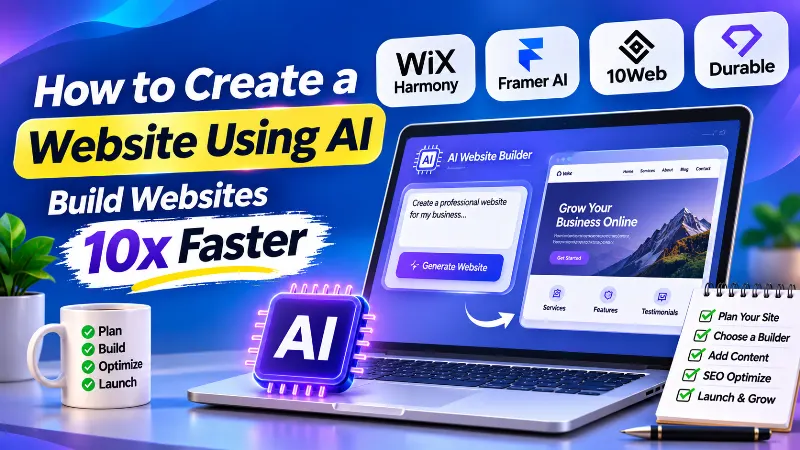
Creating a professional website no longer needs to involve weeks of planning, design work, and development. With modern AI website builders, you can generate a website structure, create page layouts, write initial content, and prepare a working design much faster than traditional workflows.
At ARNL Web Solutions, we design, develop, and optimize websites with a focus on usability, performance, and search visibility. AI can make the website creation process faster, but a successful website still needs a clear strategy, original content, thoughtful design, reliable hosting, and proper SEO.
In this guide, you’ll learn how to create a website using AI, compare popular website builders, generate a useful first draft, optimize it for search engines, and prepare it for launch.
1. Start with a Clear Website Plan
Before choosing an AI website builder, decide what your website needs to achieve. An AI tool can generate a layout from a description, but it cannot automatically know your business goals, customers, or preferred user experience unless you provide that information.
Start by defining these details:
- Website purpose: Decide whether you need a business website, blog, portfolio, online store, landing page, or service website.
- Target audience: Identify who will visit your website and what information or services they expect.
- Important pages: Plan pages such as Home, About, Services, Products, Blog, Contact, and relevant legal pages.
- Brand identity: Choose your logo, brand colors, typography, and preferred visual style.
- Primary action: Decide what visitors should do, such as contacting you, requesting a quote, booking an appointment, or purchasing a product.
A simple website plan gives the AI builder better instructions and reduces the amount of redesign work required later.
2. Choose the Right AI Website Builder
AI website builders can generate websites from a written description, a design brief, or an existing website. However, different platforms are designed for different users. Some focus on visual design, while others provide WordPress flexibility or built-in business management tools.
Here are four platforms worth considering:
| Platform | Best For | What It Offers |
|---|---|---|
| Wix Harmony | Small businesses and beginners | AI-assisted website creation, visual editing, business features, and built-in SEO tools. |
| Framer AI | Design-focused websites and landing pages | Prompt-based page generation, visual customization, CMS, managed hosting, and SEO controls. |
| 10Web AI Website Builder | WordPress users | AI-generated WordPress websites, visual editing, code access, and managed WordPress hosting. |
| Durable | Small service businesses | Fast website generation, visual editing, and integrated business tools such as customer management and bookings. |
Which one should you choose?
- Choose Wix when you want a managed website-building platform with integrated business features.
- Choose Framer when visual presentation, landing pages, and design flexibility are important.
- Choose 10Web when you want a WordPress-based website and access to the WordPress ecosystem.
- Choose Durable when you run a small service business and want website creation alongside basic business tools.
Check each platform’s current plans, usage limits, domain options, hosting terms, and export capabilities before committing. Some AI builders include hosting, while others have different restrictions depending on the subscription.
For a separately hosted website, you can also explore our hosting partners: DigitalOcean and InterServer.
3. Prepare Your Website Content and Assets
AI can generate draft text, suggest images, and create page layouts. However, your own business information and visual identity are what make the website relevant and trustworthy.
Prepare the following before generating the website:
- Logo and brand guidelines.
- Original photographs, product images, or service images.
- Business name, contact information, and location where relevant.
- Accurate product details or service descriptions.
- About page information and business background.
- Testimonials and case studies that you have permission to publish.
- Contact details, calls to action, and social media links.
Do not publish fictional reviews, invented business achievements, or AI-generated claims as real facts. Check every generated description before it goes live.
Images also affect website performance. Compress images, use suitable formats, provide descriptive alternative text, and avoid uploading unnecessarily large files. Read our guide on image optimization for SEO to learn more.
4. Generate Your Website with AI
Most AI website builders follow a similar process. You describe your business, explain the type of website you need, review the generated structure, and refine the design before publishing.
- Create an account: Sign up with your selected AI website builder.
- Describe your project: Explain your business, audience, website purpose, and preferred design.
- Review the proposed structure: Check the suggested pages, navigation, sections, and calls to action.
- Generate the website: Let the builder create the initial layout, content, and visual design.
- Customize the result: Replace sample information, adjust the colors, refine the typography, and add your original assets.
- Test the website: Check the navigation, forms, buttons, links, and mobile layout before publishing.
You can use the following reusable prompt with an AI website builder or an AI assistant that supports website generation.
Act as an experienced website strategist, UI/UX designer, SEO specialist, and web developer.

Help me plan and create a professional website using the following details.

Business Name: [Enter business name]
Website Type: [Business / Blog / Portfolio / Store / Service]
Industry: [Enter industry]
Target Audience: [Describe your audience]
Location: [Enter target location or country]
Main Goal: [Describe the main website objective]
Brand Colors: [Enter preferred colors]
Design Style: [Modern / Minimal / Corporate / Creative / Premium]
Main Services or Products: [List services or products]

WEBSITE REQUIREMENTS

1. Create a clear website structure and navigation.
2. Recommend the essential pages for this business.
3. Design a professional homepage with a clear value proposition.
4. Create appropriate sections for services, products, about information,
   testimonials, FAQs, and contact details where relevant.
5. Use responsive layouts for desktop, tablet, and mobile.
6. Maintain consistent typography, spacing, colors, and visual hierarchy.
7. Add clear calls to action throughout the relevant pages.
8. Use accessible navigation, readable text, and descriptive image alt text.
9. Prepare SEO-friendly page titles, meta descriptions, headings, and URLs.
10. Recommend relevant internal links between related pages.
11. Avoid fictional statistics, fabricated testimonials, and unsupported claims.
12. Use placeholder content only where real business information is missing.
13. Do not publish the website or connect a paid service without my approval.

PERFORMANCE AND SEO

- Use properly sized and compressed images.
- Avoid unnecessary scripts, animations, and third-party resources.
- Create a logical heading hierarchy.
- Keep important content accessible to search engines.
- Recommend relevant structured data only where the page qualifies.
- Check mobile usability and loading performance.
- Provide a launch checklist for SEO, security, and functionality.

First, show me the proposed sitemap, page sections, and design direction.
Wait for my approval before generating the complete website.
This prompt provides a useful starting point. Adjust the instructions to match your actual business, platform, and technical requirements.
For WordPress users, our guide on creating your first WordPress site can help you combine AI-assisted design with the flexibility of WordPress.
5. Optimize the Website for SEO
Generating a website with AI does not automatically make it search-engine friendly. You still need to review the content, technical setup, page structure, and user experience.
Work through these essential SEO tasks:
- Keyword research: Identify the search terms your target audience uses and assign relevant topics to the appropriate pages. You can use tools such as Semrush for keyword research.
- Page titles and meta descriptions: Write unique, descriptive metadata that accurately explains each page.
- Heading structure: Organize content with a logical H1, H2, and H3 hierarchy.
- Readable URLs: Use short, descriptive URLs that reflect the page topic.
- Internal linking: Connect related pages to help visitors navigate and search engines discover your content.
- Image optimization: Compress images and write useful alt text where appropriate.
- Mobile usability: Test the website on different screen sizes and ensure content and navigation remain accessible.
- Technical SEO: Review indexing settings, XML sitemaps, canonical URLs, redirects, and important crawl restrictions.
- Structured data: Add relevant schema markup only when it accurately describes the visible page content and meets the applicable guidelines.
Some platforms provide AI-generated metadata and built-in SEO checklists. These features can save time, but always review the suggestions rather than accepting them automatically.
Read our detailed guide on on-page SEO optimization techniques to improve your website’s search performance.
For additional guidance, explore our guide to search engine optimization and our complete guide to mastering meta tags.
6. Connect Your Domain and Hosting
Your domain is your website’s public address. Hosting is the infrastructure that makes the website available to visitors. Some AI website builders provide managed hosting and domain connection as part of their platform, while a self-hosted WordPress website usually requires a separate hosting provider.
Before choosing a hosting setup, consider:
- Domain name: Select a memorable domain that represents your business or brand.
- Hosting performance: Consider server resources, reliability, scalability, and support.
- SSL certificate: Enable HTTPS to protect connections between your website and visitors.
- Backups: Confirm how frequently your website is backed up and how restoration works.
- Email: Plan professional email addresses using your domain if your business needs them.
Explore these hosting and domain resources:
If you select an all-in-one website builder, check whether your plan already includes hosting, SSL, and custom domain support before purchasing additional services.
7. Add Marketing, Analytics, and Business Tools
A website should do more than display information. It should help your business attract visitors, generate enquiries, communicate with customers, and measure results.
Depending on your website’s purpose, consider adding:
- Email marketing: Use email tools to collect subscribers and communicate with customers. See our list of top email marketing plugins.
- Affiliate marketing: If relevant to your business model, explore affiliate networks such as ShareASale.
- Analytics: Connect Google Analytics 4 or another analytics platform to understand website visits and user activity.
- Search monitoring: Connect Google Search Console to monitor search visibility, indexing, and search performance.
- Lead generation: Add properly tested contact forms, booking features, or enquiry buttons.
- Social media: Link your active social profiles and create a consistent brand experience across platforms.
For social media growth ideas, read our guide on how to promote your brand on Instagram.
8. Publish Useful Content and Keep It Updated
A professional website needs useful content that answers visitors’ questions and explains what your business offers. An AI assistant can help with outlines, research organization, editing, and content drafts, but the final material should be reviewed by someone who understands the subject.
Consider adding:
- Detailed service or product pages.
- Helpful articles and tutorials.
- Frequently asked questions.
- Case studies based on real projects.
- Company announcements and relevant updates.
- Clear information about your business, team, and expertise.
Review older pages when information changes. Update outdated prices, product details, screenshots, instructions, and links. Do not make superficial changes simply to make a page appear fresh.
Read our article about AI content and Google rankings to understand why originality, accuracy, and usefulness matter when publishing AI-assisted content.
9. Secure, Test, and Maintain Your Website
AI website generation does not remove the need for website maintenance. Before launch, test the site as a real visitor would use it. After launch, maintain the platform and monitor for technical problems.
Use this checklist:
- Use strong, unique administrator passwords and enable two-factor authentication where available.
- Keep WordPress, themes, plugins, and other software updated when applicable.
- Enable automatic backups where supported and test the restoration process.
- Check forms, navigation, buttons, payment flows, and important links.
- Remove unused plugins, integrations, and unnecessary third-party scripts.
- Monitor for malware, spam submissions, suspicious logins, and unexpected changes.
- Review security settings and access permissions.
- Use a firewall or suitable security service when appropriate.
For additional protection, read our guide on blocking unwanted VPN and bot traffic using Cloudflare Firewall.
10. Improve and Scale as Your Business Grows
Your first AI-generated website is a starting point, not a finished digital strategy. As your business grows, review what visitors need and improve the website accordingly.
You may eventually need:
- Additional service pages, landing pages, or product categories.
- Membership accounts and restricted content.
- Online payments and e-commerce functionality.
- Appointment booking and customer management.
- Advanced search, filtering, or database features.
- Custom API integrations and business automation.
- Improved hosting resources or a different technical architecture.
Before introducing major features, consider how they affect performance, security, maintenance, and future portability. A website builder that works well for a simple landing page may not be the right long-term platform for a complex web application.
Our guide to understanding technical SEO can help you prepare for website improvements and larger projects.
Important: Does an AI-Built Website Automatically Rank on Google?
No. Creating a website with AI does not guarantee search rankings, traffic, or conversions. AI can help with design, content drafts, and technical setup, but search visibility depends on many factors, including the usefulness of the content, the site’s accessibility to search engines, competition, and overall user experience.
Google’s guidance allows the use of generative AI, but emphasizes accuracy, quality, relevance, and original value. Producing many pages with AI without adding value may violate Google’s scaled content abuse policy.
Review generated content carefully. Add real business knowledge, original examples, accurate information, and useful details that help visitors make decisions. Do not rely on automated text generation as a substitute for expertise or editorial review.
Final Website Launch Checklist
Before making your AI-created website public, review the following items:
- Website purpose, audience, and navigation are clear.
- All important pages contain accurate and original information.
- Branding, images, and contact details have been checked.
- Desktop, tablet, and mobile layouts have been tested.
- Page titles, meta descriptions, headings, and URLs have been reviewed.
- Forms, buttons, links, and checkout or booking features work correctly.
- HTTPS, backups, and appropriate security settings are enabled.
- Analytics and Google Search Console are connected where needed.
- Indexing settings and the XML sitemap have been checked.
- The website owner understands the platform’s hosting, renewal, and backup arrangements.
Key Takeaways
- AI website builders can reduce the time needed to create an initial website design and structure.
- A clear website plan and detailed instructions generally produce more useful AI-generated results.
- Wix, Framer, 10Web, and Durable serve different website-building requirements.
- AI-generated text, images, metadata, and layouts need human review before publication.
- SEO requires useful content, technical checks, mobile usability, and ongoing improvements.
- Hosting, security, backups, and maintenance remain important after launch.
AI makes website creation more accessible, but the best results come from combining automation with practical experience and careful planning. At ARNL Web Solutions, we believe a successful website should not only look professional but also serve visitors, support business goals, and provide a reliable foundation for long-term growth.